RDS vs Aurora vs EC2: Which AWS Database Wins in 2026?
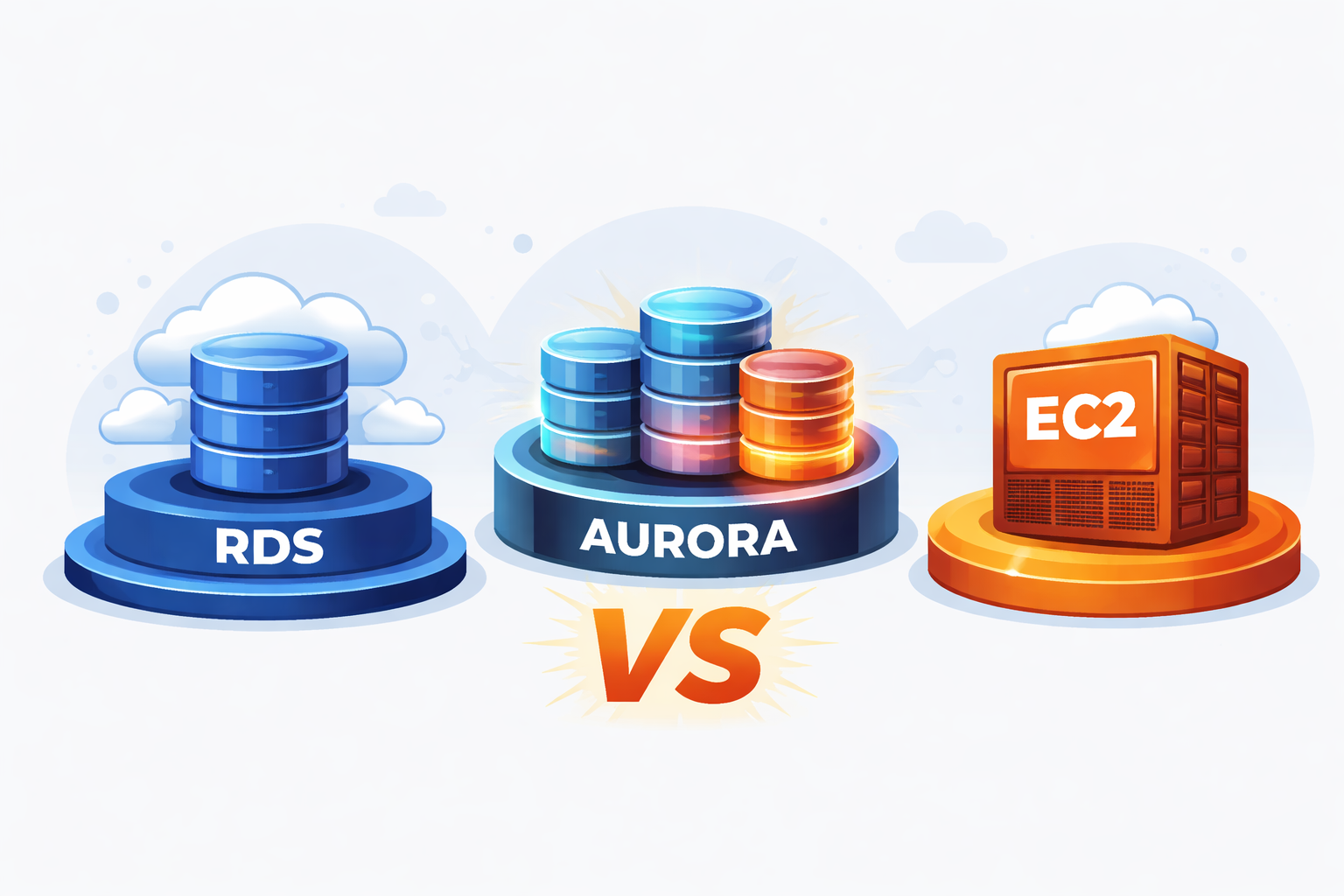
The managed database market on AWS has gotten complicated. RDS was the obvious default for years, then Aurora showed up and blurred the line, and Aurora Serverless blurred it further. Meanwhile, EC2-hosted databases (which a lot of teams dismissed as too much work) have quietly become a legitimate cost play for the right workload. So what's the right move in 2026 in the RDS vs Aurora vs Serverless vs EC2 decision?
We run all four models for customers at Absolute Ops, across AWS, Azure, and on-premise. Here's a practical breakdown of when each one makes sense, including the cost reality that vendor docs tend to gloss over.

RDS (Provisioned)
RDS is the path of least resistance. AWS handles OS patching, backups, and Multi-AZ failover. You pick an instance size, pick an engine, and you have a database. For teams without dedicated DBA capacity, that operational simplicity is genuinely valuable.
The tradeoffs are real, though. Scaling is manual: you resize the instance during a maintenance window, which means capacity planning still falls on you. Tuning options are limited compared to running a database yourself. And for steady workloads that run at consistent utilization, RDS is often the most expensive option per unit of compute relative to the work it's doing.
Where it wins: modest, predictable workloads where the team doesn't want to think about the database layer. It handles the common cases well and the operational overhead is low.

Aurora (Provisioned)
Aurora replaced the storage engine entirely. Instead of storage attached to an instance, it's a distributed layer that spans multiple availability zones automatically and scales on its own. The practical effects are meaningful: read replicas stay nearly in sync with the writer (replica lag is close to zero under normal conditions), failover is faster, and you never have to provision storage.
The cost structure is different, though. You pay for compute plus storage I/O, and the baseline is higher than RDS. For smaller workloads, you're paying for capabilities you're not fully using. Aurora also only supports MySQL and PostgreSQL, so if you're on a different engine, it's not an option.
Where it wins: high-traffic applications with heavy read load, teams that need strong availability without custom engineering, and situations where replica lag on RDS has been a real problem.
Aurora Serverless v2
Aurora Serverless scales compute up and down automatically in response to actual load, measured in Aurora Capacity Units. You're not managing instance sizes; the database handles that. During low-traffic periods, it scales down and costs less. During spikes, it scales up.
The pricing model is more complex than it looks, though. If your workload runs at consistently high utilization, serverless can end up more expensive than a provisioned instance sized for that load. It's not a universal cost win; it depends on how variable your traffic actually is. There's also still some latency during scaling events, though v2 is significantly better than the original Aurora Serverless on this front.
Where it wins: SaaS applications with uneven demand patterns, dev and test environments, and new products where you genuinely don't know what the traffic profile will look like.

EC2 Self-Managed
This is the option teams tend to write off too quickly. Running a database on EC2 means you own OS patching, backups, monitoring, and failover, but it also means you get the lowest cost per vCPU on AWS and full control over configuration, engine version, extensions, and replication strategy.
For a steady, predictable workload, EC2 is often 30 to 50% cheaper than RDS for equivalent compute and memory. At larger instance sizes (32 or 64 vCPU configurations) that gap gets wider, because RDS and Aurora pricing scales in ways that compound. If you're running a large ETL database or a mixed OLTP/OLAP workload and you have someone on the team who knows how to run Patroni or Percona XtraDB Cluster, the economics can shift dramatically.
The honest caveat: this option requires real expertise. A database that goes down at 2am on EC2 is your problem to fix, and doing it well means having documented runbooks, tested failover procedures, and someone who has actually practiced recovery. If that capability doesn't exist in-house, the cost savings aren't worth the operational risk.
Where it wins: large databases with steady loads, workloads requiring custom engine builds or extensions that RDS doesn't support, and cost-sensitive systems where the team has the expertise to run them.
How the scenarios actually play out
Rather than abstract guidance, a few concrete situations where the choice becomes clearer:
You have a predictable workload and a 1-hour RTO. If you have DBA or SRE capacity in-house, EC2 is likely 30 to 50% cheaper than RDS for the same specs. If you don't, RDS gives you most of the reliability without the operational overhead, and the premium is worth paying.
Your SaaS app has strong uptime requirements and heavy read traffic. Aurora provisioned is the right call. The near-zero replica lag and automatic storage scaling make read-heavy architectures straightforward in a way that RDS makes harder.
Traffic is seasonal or genuinely unpredictable. Aurora Serverless avoids the waste of provisioning for peak capacity that only shows up occasionally. For a new product where you don't yet know what load looks like, it also removes an early decision you'd otherwise have to revisit.
You're running a large database with custom requirements. If you need an engine RDS doesn't support, specific extensions, or you're looking at 32-plus vCPU instances where managed database pricing becomes painful, EC2 is worth the operational investment.
The question worth asking about your RDS bill
If you're currently on RDS and haven't revisited the decision recently, the most useful exercise is pulling your actual CPU, IOPS, storage, and connection metrics and modeling what the same workload would cost on Aurora or EC2. The break-even points are rarely where people assume they are, and the answer depends heavily on your specific utilization profile. A cloud audit is often the fastest way to get that picture, since the metrics you need are usually sitting in CloudWatch already.
We do this analysis regularly for customers. If you'd like us to run the numbers against your real metrics, get in touch.